Calmony Sanctions MonitorJoin the waitlist
Every capability that keeps your compliance team covered
Calmony screens individuals and entities against the OFSI consolidated list, monitors for changes nightly, surfaces adverse media and hands your team a clear audit trail — all on one dashboard.
OFSI-01 / SCREENING ENGINE
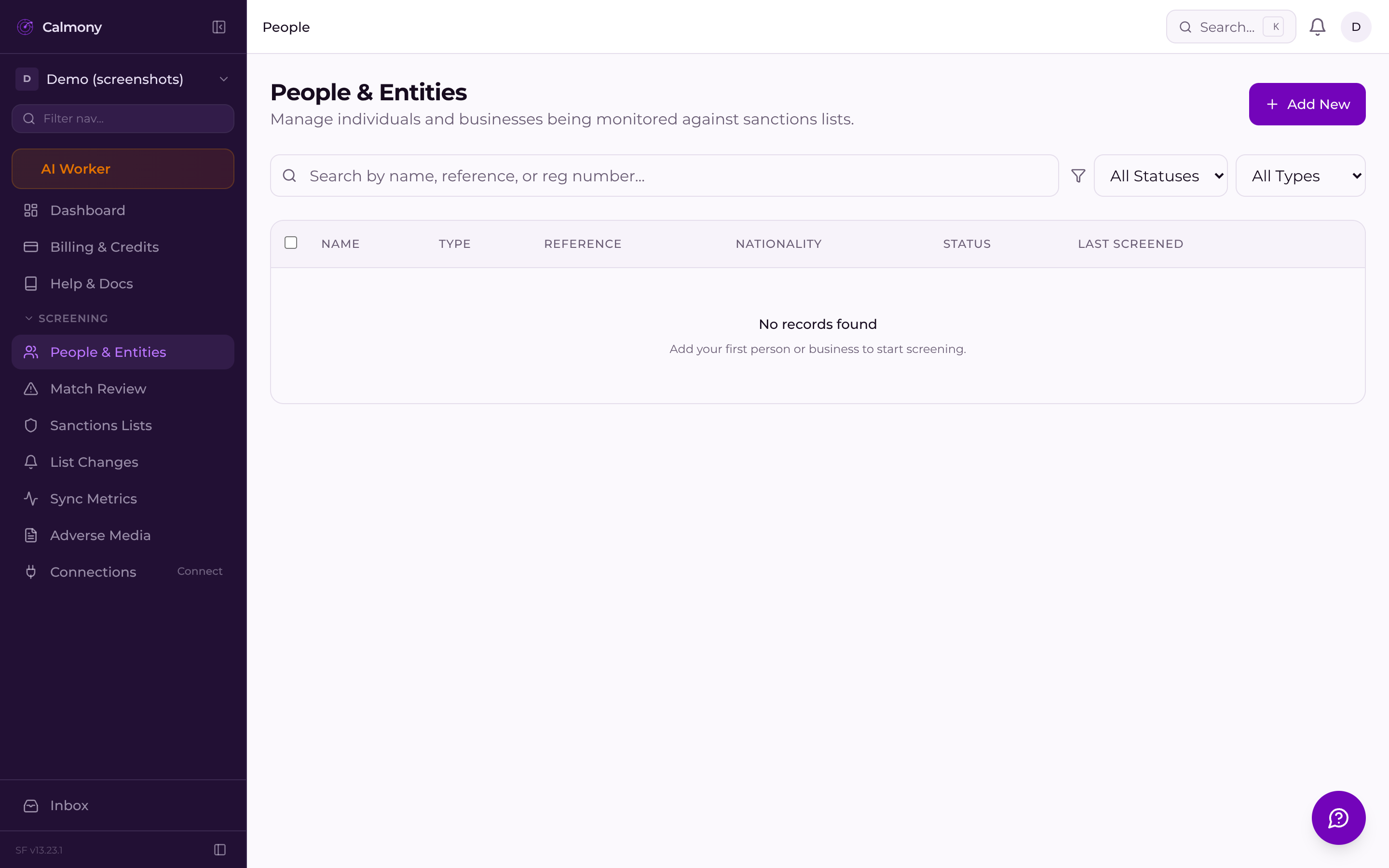
When you add a person or entity, Calmony immediately screens them against every name on the OFSI consolidated list. The engine uses fuzzy matching to catch name variations, transliterations and abbreviations that an exact search would miss — so a result isn't silently skipped because of a different spelling.
Instant on-add screening Every new person is checked the moment they are created.
Fuzzy name matching Catches transliterations, initials and partial aliases.
Individual & entity support Screen natural persons and corporate entities alike.
HOW IT WORKS / END-TO-END
Enter a full name, date of birth and nationality. The record is created instantly.
The engine runs fuzzy matching against every active OFSI designation synchronously.
Every monitored person is re-checked after each OFSI update without any manual action.
Your team sees the match in the queue, compares records, adds a note and marks the decision.
GDPR-01 / DATA CONTROLS
Screening individuals means handling personal data. Calmony ships with the data-subject tooling UK compliance teams need from day one.
When a data subject exercises their right to erasure, Calmony anonymises their personal data across all records while preserving the compliance-required metadata — satisfying Art. 17 without breaking your audit trail.
The platform's lawful basis, retention periods and sub-processor list are published at a permanent URL — ready to reference in your own privacy notices and ROPA.
Read the lawful basisJoin the waitlist and be among the first UK compliance teams to use Calmony. Questions? Email us at sf-core-org-support-calmony-sanctions-monitor@saas-factory.ai
SYNC-01 / NIGHTLY UPDATES
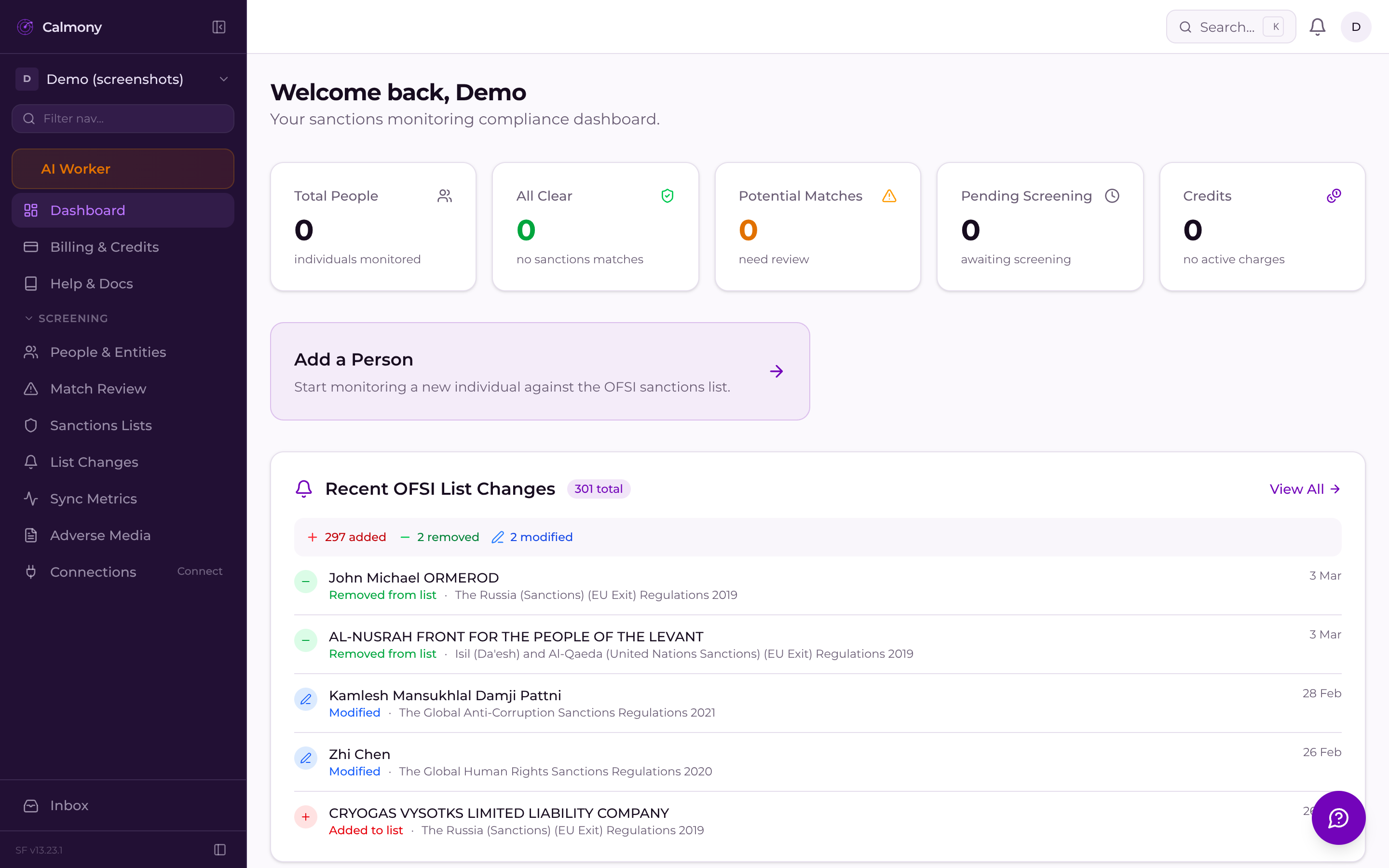
OFSI publishes list changes without warning. Calmony runs an automated nightly sync, pulls the latest consolidated list, diffs it against the previous version and re-screens every monitored person in your account. If a new designation matches someone you've already cleared, you'll see a pending match the next morning — not weeks later.
Automated nightly sync No manual downloads or re-uploads needed.
Change tracking See exactly which entries were added, amended or removed.
Continuous monitoring Monitored persons are re-screened automatically after every sync.
MATCH-01 / REVIEW WORKFLOW
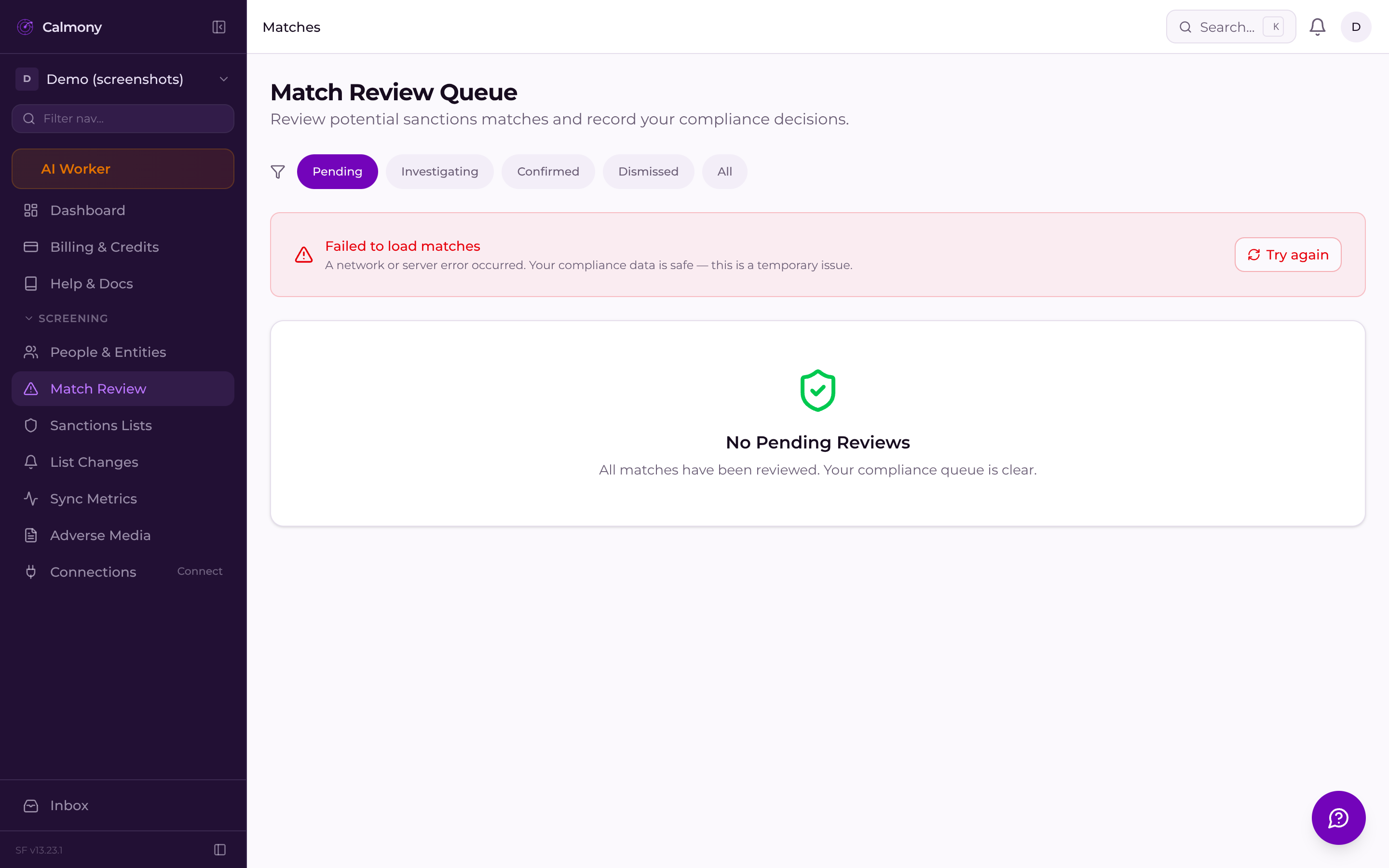
Potential hits don't pile up in a spreadsheet. Each match lands in a structured queue with the full OFSI record alongside your submitted data, so your analyst can confirm or dismiss in context.
AML-01 / ADVERSE MEDIA
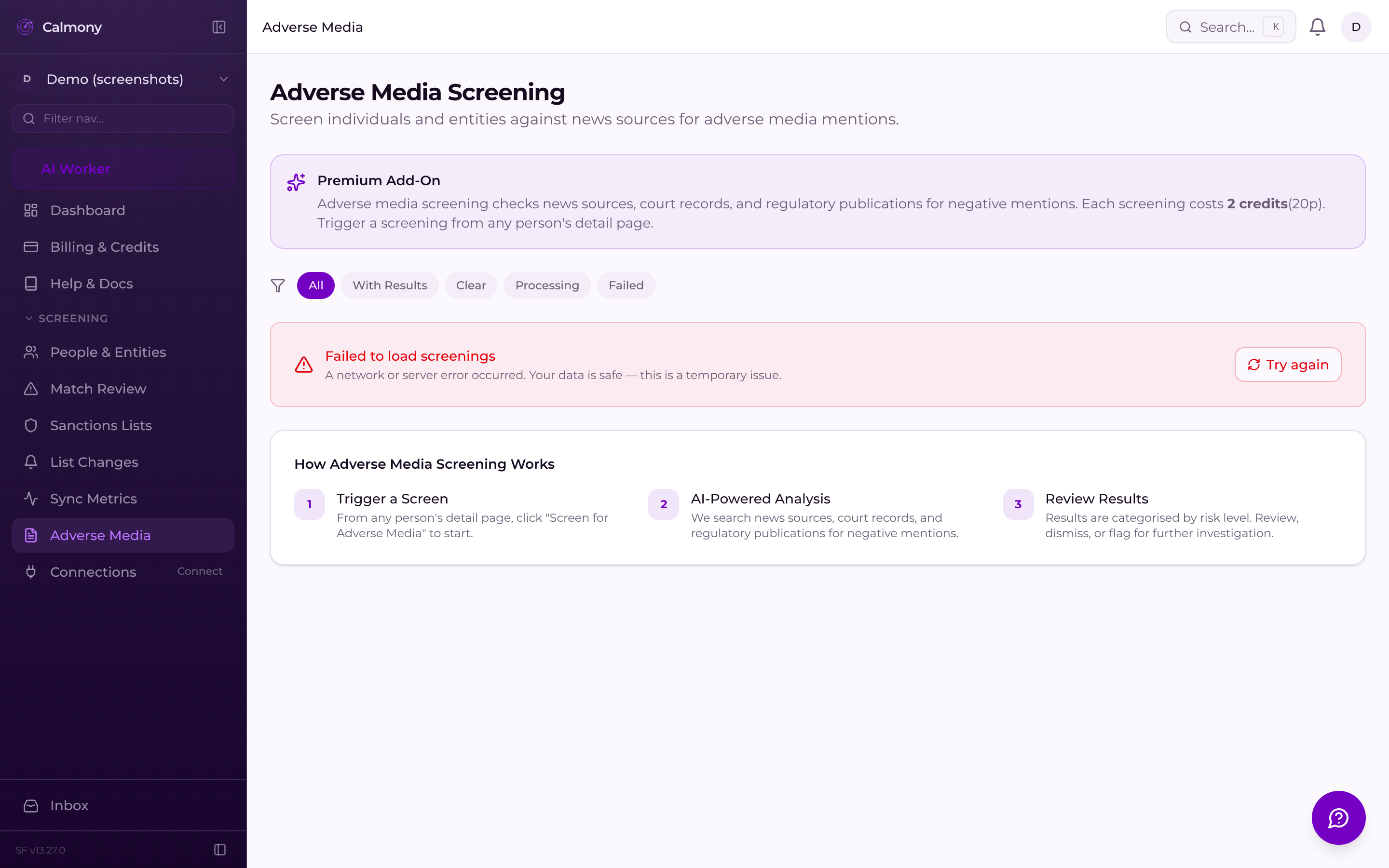
Sanctions lists capture designated persons — adverse media captures the context around them. Calmony's adverse media module surfaces negative news signals for your screened individuals so your analysts can make an informed risk decision, not just a binary list hit.
Negative news monitoring per screened individual
Results surfaced directly inside the dashboard
Supports enhanced due diligence workflows
AUDIT-01 / COMPLIANCE RECORD
Every screening, every review decision, every list change and every export is logged with a timestamp and the acting user. If OFSI ever asks how you reached a decision, the answer is already in Calmony.
Every screening result is written once and never overwritten — the record of what was checked and when is preserved without modification.
Match confirmations and dismissals carry the reviewer's account identity, their note and the exact UTC timestamp.
LIST-01 / SANCTIONS INTELLIGENCE
Browse the active OFSI consolidated list, see metrics on designation counts and trends, and track exactly what changed in each nightly update — from within your compliance dashboard.
Search and filter active OFSI designations directly in the app — no manual spreadsheet downloads.
Track designation counts over time with built-in metrics, so your reporting pack has the numbers it needs.
API-01 / INTEGRATIONS
If the dashboard isn't where you want to work, the REST API v1 lets you push people, pull results and trigger screenings from your own systems — with API key management inside your account settings.
Create, name and revoke API keys from your settings page. Each key is scoped to your account.
Standard JSON REST endpoints for people and screening operations — documented inside the dashboard.
SEC-01 / PLATFORM SECURITY
The platform is built with AES-256-GCM encryption for PII at rest, role-based access controls, standard security headers and a per-user multi-tenant data model.
AES-256-GCM PII encryption Names, dates of birth and nationality fields are encrypted at rest.
Role-based access control Admin and user roles gate sensitive operations and data access.
Standard security headers CSP, HSTS, X-Frame-Options and other headers applied at the edge.
FAQ / FEATURES
Your submitted name, DOB and nationality shown alongside the full OFSI record so the decision is never made blind.
Add a free-text rationale when you confirm or dismiss a match. The note is preserved in the audit trail permanently.
Every confirm or dismiss is logged with the reviewer's identity, decision and timestamp — OFSI-ready if you're ever queried.
The Sanctions List Changes page shows every addition, amendment and removal detected by the nightly sync — with the date each change was ingested.
Export your screening history, people list and audit trail to CSV whenever your compliance process or a regulatory review requires it.
A date-stamped list of every entry added, amended or removed in each sync cycle — your delta record.
Sign in with Google, GitHub or Microsoft Entra ID — no password management for your team.
Invite-only team access Add colleagues via a scoped invite link — no shared passwords.
Audit log on every write All create, update and delete operations are logged with the acting user.
